
When employees search for HRMS Globex, they are usually looking for practical information: where to access the portal, how to sign in, what happens if a password is forgotten and which workplace services are available after login.
HRMS Globex is associated with a web-based employee management portal that provides an authentication page for authorized users. Its publicly accessible login interface displays username and password fields, a CAPTCHA and a password recovery option. Historical documents associated with the portal also indicate that performance reviews and appraisal activities are part of its documented use.
However, not every feature mentioned across the internet has been independently confirmed. Some websites describe HRMS Globex as a complete commercial HR platform with payroll, recruitment, attendance tracking and mobile applications. These descriptions should not automatically be treated as an official feature list.
This guide explains how the identifiable HRMS Globex portal works, how employees can approach login and account recovery, what is known about its performance-management process and which precautions matter when accessing an online HR system.
Related Post: https://magazinetrend.co.uk/python-sdk25-5a-burn-lag/
What Is HRMS Globex?
HRMS Globex is a name associated with an online Human Resource Management System and an employee login portal hosted at hrms.theglobex.com.
The portal is designed for authorized users rather than unrestricted public registration. Its visible login page requests a username, password and CAPTCHA. It also provides a Forgot Password option.
Historical portal-related documentation supports the existence of employee performance reviews, manager assessments and appraisal-related activities. Other commonly advertised features, including payroll, attendance and recruitment, should be confirmed with the relevant employer before being assumed to be available.
| Portal detail | Available information |
| Name | HRMS Globex |
| Software category | Human Resource Management System |
| Access type | Web-based employee login |
| Login requirements | Username, password and CAPTCHA |
| Password assistance | Forgot Password option |
| Public registration | No visible registration option |
| Documented function | Employee performance management |
| Intended users | Authorized employees and relevant administrators |
| Public pricing | Not established |
What Does HRMS Globex Mean?
HRMS stands for Human Resource Management System. It refers to software that helps organizations manage employee-related information and administrative processes.
In a traditional workplace, HR departments may rely on spreadsheets, paper forms, email messages and separate databases to maintain employee records. An HRMS can bring selected activities into a centralized digital environment.
For example, an organization may use an HR system to coordinate employee information, review processes, workplace documents and administrative approvals.
HRMS Globex is associated with this type of employee portal. Its public-facing page confirms that users can reach a login interface, but the private dashboard is not available to visitors who do not have authorized credentials.
This distinction matters because a login page does not reveal every feature available after authentication. Different organizations can also configure access according to employee responsibilities and internal procedures.
An employee may have access to personal review activities, while a reporting manager may have additional responsibilities. HR administrators may have a separate level of access.
HRMS Globex Login: How to Access the Portal
The most important task for employees is locating the correct login address. The identifiable portal is hosted under the theglobex.com domain.
The publicly accessible login page can be found at:
HRMS Globex Login Portal
Before entering any information, confirm that this is the address supplied or approved by your organization. Employees should not rely on unfamiliar advertisements, random messages or unofficial websites for workplace login instructions.
Step-by-Step Login Instructions
Step 1: Open the approved portal address
Use a compatible web browser and open the login address confirmed by your HR or IT department.
Step 2: Locate the username field
The login interface includes a field for your username. Enter the identifier assigned to your account.
Do not automatically use your personal email address or Employee Code unless your organization has instructed you to do so.
Step 3: Enter your password
Type your current password carefully. Passwords are generally case-sensitive, so check your keyboard settings and Caps Lock.
Step 4: Complete the CAPTCHA
The login page displays a CAPTCHA field. Enter the characters shown in the verification area.
If the characters are difficult to read, use the available refresh option if it is provided.
Step 5: Submit the login information
Submit the form and wait for the authentication process to finish.
Step 6: Check your available dashboard
If authentication succeeds, the portal should provide access to the functions assigned to your account. The available options may differ depending on your organization and user permissions.
A missing feature does not automatically mean that the platform is malfunctioning. It may simply not be enabled for your account.
Related Post: https://magazinetrend.co.uk/benefits-of-immorpos35-3-software/
What Features Are Available in HRMS Globex?
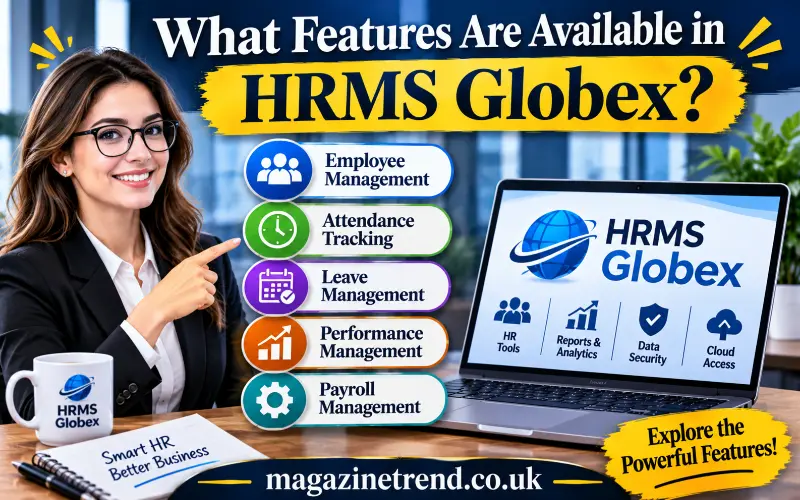
Understanding the difference between documented functions and commonly claimed features is important when researching HRMS Globex.
The publicly accessible login interface confirms account authentication and password recovery. Historical documentation associated with the portal provides evidence of performance-management activities, including employee self-reviews and appraisal-related processes.
Other features often associated with HR management software may or may not be available to a particular user.
| Feature | Purpose | Information status |
| Employee login | Provides access to an authorized account | Publicly visible |
| Password recovery | Helps users begin account recovery | Publicly visible |
| Employee self-review | Allows employees to assess their work | Historically documented |
| Manager evaluation | Supports supervisory assessments | Historically documented |
| Final performance review | Records a final evaluation stage | Historically documented |
| Appraisal acknowledgment | Allows employees to acknowledge review documents | Historically documented |
| Payroll management | Handles salary-related information | Current availability not independently confirmed |
| Attendance tracking | Records working hours and attendance | Current availability not independently confirmed |
| Leave management | Handles employee leave requests | Current availability not independently confirmed |
| Recruitment | Supports hiring and candidate management | Not publicly confirmed |
This distinction helps prevent confusion between a general HRMS feature and a function that has actually been established for this particular portal.
Employees should consult their HR department if they need confirmation about payroll, attendance, leave balances or other account-specific services.
Understanding the HRMS Globex Performance Review Process
Performance management is one of the more clearly documented areas associated with HRMS Globex.
A performance review is a structured process through which employees and supervisors assess work responsibilities, achievements and professional progress.
Instead of relying entirely on informal conversations, an organization can use a defined review process to record feedback and complete appraisal-related activities.
Historical documentation associated with the portal describes several stages of performance assessment.
Employee Self-Review
The process may begin with an employee reviewing their own performance.
This stage gives employees an opportunity to describe their responsibilities, completed tasks, achievements and areas where improvement may be needed.
A useful self-review should focus on specific examples rather than general statements. Employees can prepare by reviewing their completed projects, targets and responsibilities during the assessment period.
Reporting Manager Review
The reporting manager evaluates the employee’s work and provides feedback.
This stage allows a supervisor to assess performance against assigned responsibilities and workplace expectations.
Managers may consider work quality, task completion, communication, reliability and other relevant criteria established by the organization.
Final Review
A designated reviewer or authorized department representative may complete the next assessment stage.
This step helps the organization review the information submitted by the employee and reporting manager.
The precise responsibilities of the final reviewer depend on the employer’s internal evaluation structure.
Appraisal Letter Acknowledgment
The documented process also includes an appraisal-letter acknowledgment stage.
Employees may be asked to review the appraisal communication and acknowledge that they have received or reviewed it.
Acknowledgment should not automatically be interpreted as agreement with every assessment. Employees should follow their organization’s policy if they have questions or wish to raise a concern.
| Review stage | Main participant | Purpose |
| Self-review | Employee | Reflect on work and achievements |
| Manager evaluation | Reporting manager | Assess performance and provide feedback |
| Final assessment | Authorized reviewer | Complete the evaluation process |
| Appraisal acknowledgment | Employee | Review and acknowledge appraisal communication |
Employees should pay attention to the review schedule communicated by their organization. Missing a deadline or leaving a required section incomplete may delay the internal process.
How to Reset a Forgotten HRMS Globex Password
Forgetting a workplace password can prevent employees from accessing important account information.
The publicly visible HRMS Globex login page includes a Forgot Password option. The associated recovery process uses an Employee Code as an important account identifier.
If you cannot remember your password, follow these general steps:
- Open the HRMS Globex login page approved by your employer.
- Select the Forgot password? option.
- Locate the Employee Code field on the recovery page.
- Enter the correct Employee Code associated with your account.
- Complete any CAPTCHA or verification requested by the page.
- Follow the instructions displayed by the portal.
- Contact your HR or IT department if the recovery process does not work.
The exact recovery steps may depend on the portal’s current configuration and your organization’s account settings.
What If the Password Reset Does Not Work?
Start by checking that the Employee Code has been entered correctly. A small typing error can prevent the system from identifying your account.
If the recovery process still fails, contact the appropriate internal support team. HR or IT staff may need to confirm your account details, check whether the account is active or assist with an administrative reset.
Never send your existing password or verification code to an unknown person claiming to provide account recovery services.
Related Post: https://magazinetrend.co.uk/thestripesblog-frank-fisher/
Common HRMS Globex Login Problems and Solutions
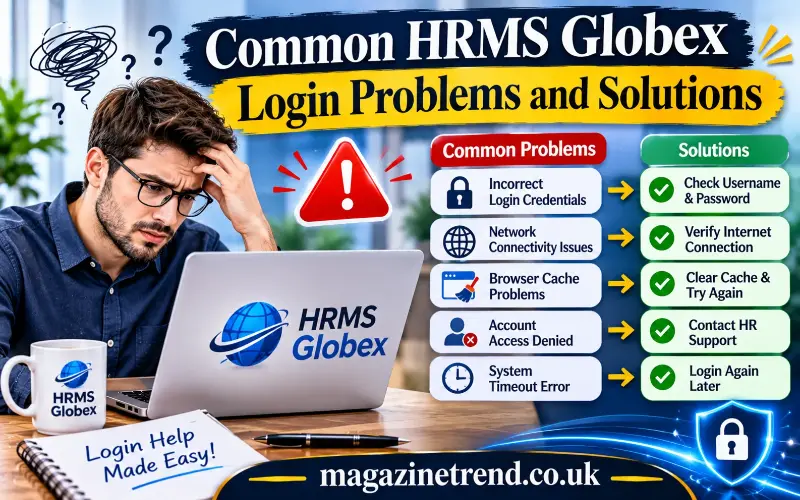
Login difficulties can occur for several reasons. Sometimes the issue is related to incorrect credentials, browser settings or account permissions rather than a problem with the entire portal.
A simple troubleshooting process can help identify the cause.
| Login problem | Possible explanation | Suggested action |
| Incorrect password | Typing error or outdated password | Check the password or use recovery |
| Username not accepted | Wrong account identifier | Confirm the username with HR |
| CAPTCHA rejected | Incorrect or unclear characters | Refresh and enter the new CAPTCHA |
| Recovery unsuccessful | Incorrect Employee Code or account details | Verify information with HR |
| Portal does not load | Browser or connection problem | Refresh or try another updated browser |
| Dashboard option missing | Feature not enabled for your role | Ask the administrator |
| Account unavailable | Account status or permission issue | Contact authorized support |
Check Your Internet Connection
A slow or interrupted connection can prevent a login page from loading correctly.
Try opening another trusted website to determine whether the issue affects your internet connection generally.
Refresh the Browser
A temporary browser problem may cause the login form to display incorrectly.
Refresh the page or try another updated browser. If you are using a shared computer, avoid saving your workplace password.
Confirm Your Account Status
If the username and password appear correct but access remains unavailable, your account may require administrative assistance.
An HR or IT representative can check whether your account has been created, activated or assigned the correct permissions.
Avoid Repeated Password Guessing
Entering multiple incorrect passwords may trigger account restrictions in some workplace systems.
Use the official recovery process rather than repeatedly guessing different combinations.
Benefits of an Employee HRMS Portal
Digital HR platforms can help organizations organize employee-related activities. Their usefulness depends on the functions enabled and how effectively the organization manages the system.
Although every benefit below should not be treated as a confirmed HRMS Globex feature, these are common advantages of employee management portals.
More Organized Employee Information
A centralized HR system can reduce the need to search through multiple spreadsheets, paper records and email conversations.
When employee information is maintained in an organized environment, authorized staff can find relevant records more efficiently.
Structured Performance Evaluations
A documented review process gives employees and managers a defined sequence for completing assessments.
It also creates a record of feedback and appraisal activities that may be useful during future performance discussions.
Easier Administrative Coordination
Digital workflows can make it easier for different participants to complete assigned tasks.
For example, employees, managers and HR representatives can each have specific responsibilities during a performance review.
Better Access to Workplace Information
An employee portal can provide convenient browser-based access to the services enabled for a particular account.
This can reduce the need for employees to request every piece of information through a separate communication channel.
More Consistent Review Procedures
When an organization follows a structured evaluation process, employees and managers have a clearer idea of the stages involved.
Consistent procedures can also help HR teams coordinate review schedules across departments.
Is HRMS Globex Safe to Use?
Security should be a priority whenever employees access an online HR platform.
HR systems may contain confidential information, including employment records, personal details and performance-related documents. Entering login credentials on an incorrect website can create unnecessary risks.
The existence of a login page alone does not establish the platform’s complete security arrangements, data protection certifications or ownership. Employees should therefore follow their employer’s approved security procedures.
Here are some practical precautions:
- Confirm the portal address with your HR or IT department.
- Use a strong and unique password.
- Do not share your login credentials with coworkers or unknown individuals.
- Avoid clicking unexpected login links in emails or messages.
- Do not enter workplace credentials on unrelated websites.
- Sign out after using a shared computer.
- Keep your browser updated.
- Report suspicious account activity to the appropriate administrator.
Be Careful With Similar Website Names
There is another important point when researching HRMS Globex.
The address hrms.theglobex.com hosts the identifiable employee login page. A separate website, hrmsglobex.com, also uses the HRMS Globex name and describes an HR software offering.
No public evidence reviewed for this article establishes that the two websites operate as the same service.
A similar domain name is not proof that two websites belong to the same organization. Always verify the correct address before entering sensitive information.
Who Should Use HRMS Globex?
HRMS Globex is most relevant to people who have been instructed by an organization to access the associated employee portal.
Existing employees: Staff members with assigned credentials may use the portal for the functions available to their accounts.
New employees: Recently hired staff should contact HR to confirm whether an account has been created and how access should be activated.
Reporting managers: Supervisors involved in employee assessments may need to participate in the relevant review process.
HR administrators: Authorized HR personnel may coordinate employee-related activities and internal procedures.
Job seekers and visitors: Members of the public should not assume that the login portal provides open registration or a public recruitment service.
HRMS Globex Compared With Traditional HR Administration
Traditional HR administration often depends on paper documents, spreadsheets and separate communication channels.
A digital HR portal introduces a more centralized approach to selected workplace activities.
The following comparison explains the general difference.
| Administrative area | Traditional approach | Digital HR portal approach |
| Employee records | Separate files and spreadsheets | Centralized digital records |
| Performance reviews | Paper forms or email exchanges | Structured review workflows |
| Document access | Manual requests | Online access where enabled |
| Review coordination | Separate reminders | Defined digital stages |
| Employee access | Contacting HR for information | Authorized account access |
A digital portal does not eliminate every administrative challenge. Organizations still need accurate information, appropriate access controls and clear internal procedures.
The system is most useful when employees and administrators understand their responsibilities and use the available functions correctly.
FAQs
What is HRMS Globex used for?
HRMS Globex is associated with an online employee HR portal. Its publicly visible interface provides account login and password recovery, while historical documentation supports employee performance reviews and appraisal-related activities.
What is the HRMS Globex official login page?
The identifiable login page is hosted at hrms.theglobex.com/Web/Default.aspx. Employees should confirm the correct address with their employer before entering workplace credentials.
How can I reset my HRMS Globex password?
Select the Forgot Password option on the login page and follow the displayed recovery instructions. The associated recovery process uses an Employee Code. Contact HR or IT if you cannot complete the process.
Can anyone create an HRMS Globex account?
The public login page does not display an open registration option. Employees should contact their HR department or authorized administrator to arrange account access.
Does HRMS Globex provide payroll and attendance services?
Payroll and attendance are common HRMS functions, but their current availability for HRMS Globex users has not been independently confirmed. Check your account or ask your employer which services are enabled.
Why is the performance review option missing from my account?
The option may depend on your employee role, permissions, eligibility or the organization’s active review schedule. Contact your reporting manager or HR department to confirm whether you should have access.
Conclusion
HRMS Globex is best approached as an employee-focused HR portal rather than an openly available software subscription with a fully verified public feature list.
Its identifiable login page provides username and password authentication, CAPTCHA verification and a password recovery option. Historical documentation also supports its association with employee performance reviews, manager evaluations and appraisal acknowledgment.
Other features commonly mentioned online, such as payroll, attendance, leave management and recruitment, should be confirmed with the organization responsible for the employee account.
For employees, the most important steps are straightforward: use the correct employer-approved login address, protect account credentials, follow the recovery instructions and contact HR or IT when access problems continue.
A careful approach helps employees use workplace technology without relying on unsupported claims or potentially unsafe login links.
